

Your spreadsheet says 14. The shelf holds 11.
Three units left through a Shopee order, a Tokopedia order and a return nobody logged. An inventory tracking program records each move as it happens, so the number on screen matches the shelf.
What Are Inventory Tracking Programs?
Inventory tracking programs are software that records every change to your stock, from supplier receipt to sale, return and adjustment, and shows the current count for each SKU. For Indonesian sellers on Shopee, Tokopedia, Lazada and TikTok Shop, the better ones also push that count to each channel listing.
A count is a snapshot. Tracking is the history behind it.
A stock sheet tells you that you own 11 units. A tracking program tells you that you received 50, sold 36 and wrote off 3 (illustrative numbers), so it can also tell you when 11 is wrong.
You will see these tools called inventory tracking software, stock tracking apps or, when they do more, an inventory management system. The names change. The job is the same: one record, updated by every event, that you can audit.
Our inventory mgmt system guide covers how such systems stop overselling across channels. This guide stays on the tracking side: what gets recorded, and how to pick a program.
You need tracking whenever your stock changes in more than one place. That means two marketplace stores, a home stock room plus a 3PL, or more than one person packing orders.
What Does an Inventory Tracking Program Track?
A tracking program follows four things for every SKU: how many units exist, where they sit, what condition they are in, and each movement that changed the number. The movement history matters most. Without it, you can see that a count is wrong, but never why.
Here is what each one looks like in practice:
| What it tracks | Illustrative example | Why it matters |
|---|---|---|
| SKU and variant | Kaos Polos Hitam L and Kaos Polos Hitam M are two SKUs | Each size and colour needs its own count |
| Location | Rak A2, home stock room, 3PL | Stock in two places is two separate counts |
| Status | Available, reserved, returned, damaged | Only “available” should reach your listings |
| Movements | Received, sold, returned, written off | Traces a wrong count to a single event |
Status is where overselling is decided. A unit reserved for an unshipped order is still on your shelf, but you cannot sell it twice. A program that only tracks “on hand” will publish stock you have already promised.
Two things trip sellers up.
Bundles. A “Paket Hemat” of two shirts and one cap is one listing but three units of stock. Sell one bundle and two SKUs must drop. Ask each vendor how it handles bundles and variants before you commit. A program that treats the bundle as a separate SKU will drift from your real stock.
Locations. Units at home and units at a 3PL are different piles. If a program cannot split them, you will publish stock that is on the wrong side of a courier trip.
How Does a Tracking Program Log Each Unit From Supplier to Return?
A tracking program logs five events: receipt, sale, shipment, return and adjustment. Each carries a date, a quantity and a reason. When the shelf and the screen disagree, you scan that log for the event that never got recorded. Unlogged returns and damaged items are the usual suspects.
Here is one SKU’s life, step by step:
- Receive. Supplier stock arrives. Check it against the purchase order and add it to “on hand” the day it lands. A short delivery caught on day one is a supplier conversation. Caught a month later, it is a mystery.
- Sell. An order arrives from Shopee, Tokopedia, Lazada or TikTok Shop. The program reserves the units and updates the count shown on your other channels.
- Ship. You pack the parcel and hand it to J&T Express, JNE, SiCepat or Anteraja. The reserved units leave “on hand”.
- Return. A buyer sends an item back, or a cash-on-delivery parcel bounces back days later. Keep it in a holding status until it is physically with you and inspected. Then choose: back to available, to damaged, or to write-off.
- Adjust. Influencer samples, breakage and miscounts each get an adjustment with a written reason.
Return timelines differ between couriers, so mark a failed COD parcel “in transit back” as soon as you hear it has failed. Do not add it to available stock until you have scanned it in.
Here is what that log looks like for one SKU, with illustrative numbers:
| Day | Event | Change | Balance |
|---|---|---|---|
| 1 | Received from supplier | +50 | 50 |
| 3 | Shopee order | -2 | 48 |
| 4 | Tokopedia order | -1 | 47 |
| 6 | Failed COD parcel scanned back in | +1 | 48 |
| 9 | Damaged in storage, adjusted | -1 | 47 |
Say the shelf shows 46 on day 10. You now have five lines to check, not a month of orders.
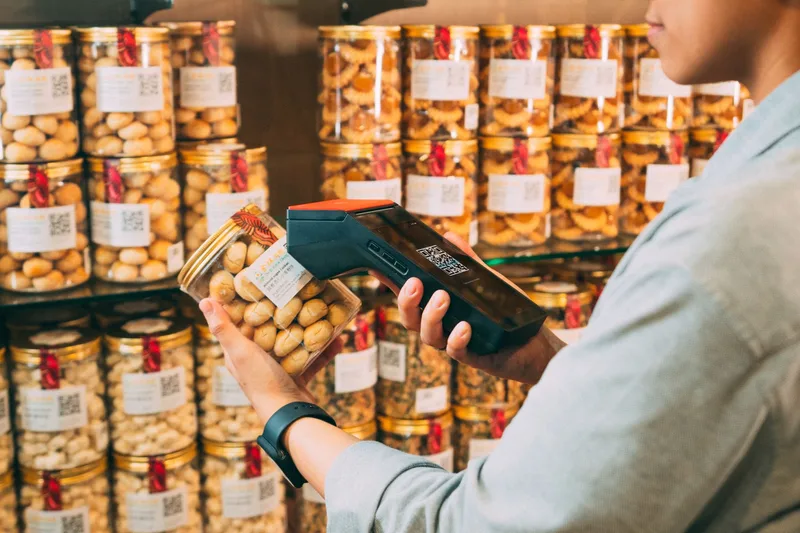
The step that keeps the log honest is scanning. Scan a barcode when stock arrives and again when you pack an order, and the program checks the item instead of you typing a SKU code from memory. Ask each vendor whether scanning with a handheld scanner or a phone camera is included in your plan.
Not sure how much safety stock to hold per SKU? Work it out with the safety stock calculator. Free to use.
Which Type of Tracking Program Fits Your Shop?
There are three types: a spreadsheet, the marketplace’s own stock view, and an omnichannel program. Pricing scales with sales. Jubelio’s pricing page, for example, lists Rp150 per order processed, with terms applying. Pick the simplest type that still matches how many channels and locations you run.
| Type | Best for | Where it breaks |
|---|---|---|
| Spreadsheet (Excel or Google Sheets) | One channel, a small catalogue, one person updating | Cannot push counts to marketplaces, and relies on someone typing after every order |
| Marketplace stock view (Shopee, Tokopedia, Lazada or TikTok Shop seller tools) | Selling on a single platform | Each tool sees its own platform only |
| Omnichannel program (Jubelio, Ginee, Sellercraft or Anchanto) | Two or more channels, or stock in more than one place | Costs money, and needs clean SKU names and setup time |
The marketplace tools are worth knowing even if you outgrow them. Start at the Shopee Seller Education Hub to see what Shopee offers on its own. That view covers Shopee stock only, which is why a second channel changes the answer.

Work out cost per order, not per month. Jubelio’s pricing page lists Rp150 per order processed, with terms and conditions applying. It also lists unlimited SKUs, users and locations, plus a warehouse management system and accounting. At that rate, 1,000 orders in a month would come to Rp150,000, before any minimums or add-ons in the terms.
Other vendors may price by plan tier, store count or feature set. Put every quote on the same order volume before you compare. Our software inventory guide lines up Jubelio, Ginee, Sellercraft and Anchanto side by side.
Move up a type when a spreadsheet costs you an order. The first cancellation caused by stock you did not have is the signal. Start with the system inventory setup guide, which walks from the first stock count to a test order.
How Do You Check That Your Tracking Is Accurate?
Run a physical stock count, called stok opname in Indonesia, and compare it with the program’s balance. Count fast sellers most often and slow sellers least. Trace every gap through the movement log to a cause, then fix the cause. A count that only overwrites the number teaches you nothing.
A tracking program is only as good as the last time someone checked it against the shelf. Here is a routine that fits a small team:
- Pick a slice. Count your fastest sellers weekly and everything else monthly. Or count one shelf section a day.
- Freeze movement. Count when no orders are being packed, or note which orders were mid-pack.
- Count blind. Write down the physical count before you look at the system number. Otherwise you count what you expect to see.
- Trace each gap. Open the SKU’s movement log. Look for the missing return, the unlogged sample or the wrong SKU scanned.
- Adjust with a reason. Enter the correction as an adjustment with a written reason. Never overtype the balance.
- Fix the cause. If the same cause repeats, change the process. For example, send every return to a holding shelf and scan it before it goes back on the rack.

Before a big sale such as 9.9, 11.11 or 12.12 (Harbolnas), count your top sellers first. Campaign traffic sends orders in bursts, and a wrong count is what turns a burst into cancellations.
Keep the reasons attached to every adjustment. Our inventory keeping software guide covers which records are worth keeping and for how long.
Frequently Asked Questions
What are inventory tracking programs?
Inventory tracking programs are software that records every change to your stock, including receipts, sales, returns and adjustments, and shows a current count per SKU. For Indonesian sellers they usually connect to Shopee, Tokopedia, Lazada and TikTok Shop, so a sale on one channel lowers the available count on all of them.
Do I need barcodes or a scanner to track inventory?
No, but scanning cuts typing errors. You can track by SKU code alone, and many small sellers do. Barcodes help when you handle many SKUs or have several people packing, because the program checks the item you scanned. Ask each vendor whether scanning by handheld scanner or phone camera is included in your plan.
How much do inventory tracking programs cost in Indonesia?
It depends on the pricing model. Jubelio’s pricing page lists Rp150 per order processed, with terms applying, so 1,000 orders would come to about Rp150,000 at that rate. Other vendors may charge by plan tier or store count. Compare each quote at your own monthly order volume, not the headline price.
Can a spreadsheet track inventory across Shopee and Tokopedia?
Only if you update it by hand after every order. A spreadsheet cannot send counts to Shopee or Tokopedia, so each marketplace keeps its own number and the two drift apart. That drift is where overselling starts. Treat your first order cancelled for stock you did not have as the signal to move to a program.
Keep Reading
- Inventory Mgmt System: What It Is and How Indonesian Sellers Use One: how a master count stops overselling across channels
- System Inventory: How It Works for Indonesian Sellers: a step-by-step setup, from first stock count to test order
- Software Inventory: What Indonesian Ecommerce Sellers Need to Know: Ginee, Jubelio, Sellercraft and Anchanto compared
- Ecommerce Inventory Management for Indonesian Sellers: the full hub on stock control, order sync and fulfillment